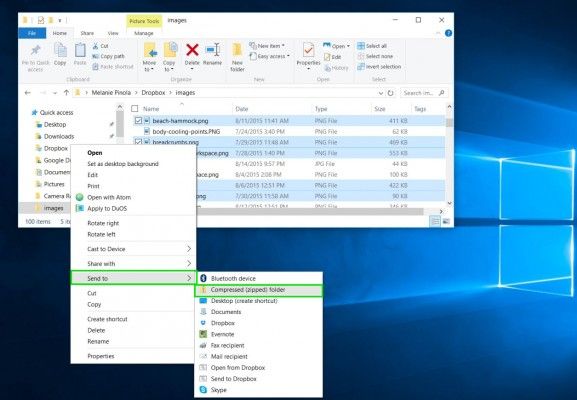
Create a Zipped Folder using Windows:
- Put your files/images into a new folder
- Select the folder that you will zip.
- Right-click the folder, point to Send to, and then click Compressed folder (zipped).
- A new zipped folder will appear in your Desktop.
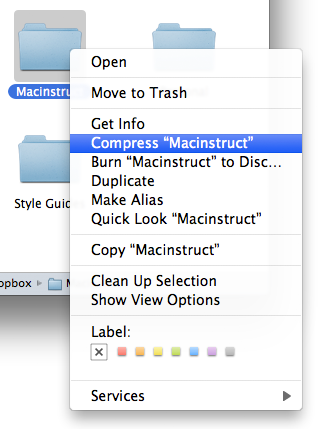
Create a Zipped Folder using Mac:
- Put your files/images into a new folder
- Ctrl + click (right click) the folder and click Compress.
- A new zipped folder will appear in your Desktop.