Due to recent changes Apple has rolled out related to App Privacy (read more here), we will now need to be granted “Admin” role for the user wpbdeveloper@intertechmedia.com. This will allow us to submit your latest app update for approval.
Modify user Role
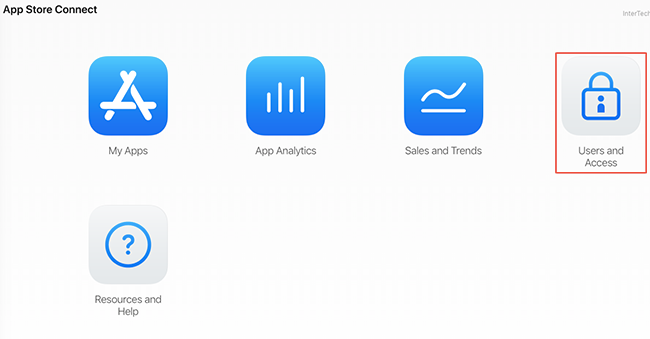
1. Login to App Store Connect https://appstoreconnect.apple.com/ and click on Users & Access.
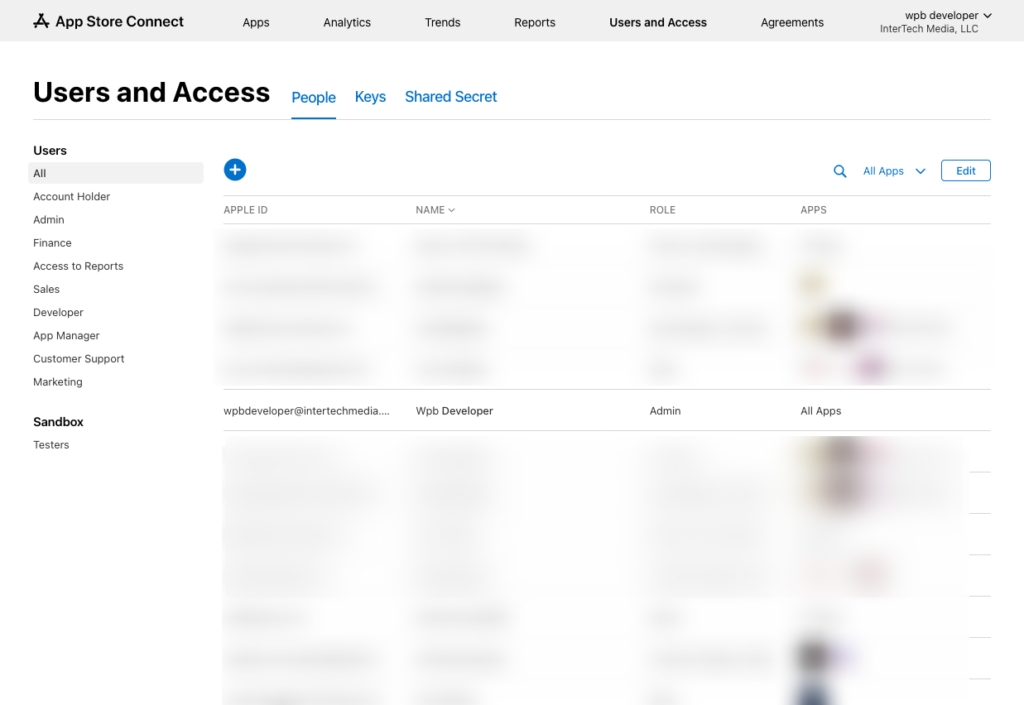
2. Find wpbdeveloper@intertechmedia.com in the list of users and click on it.
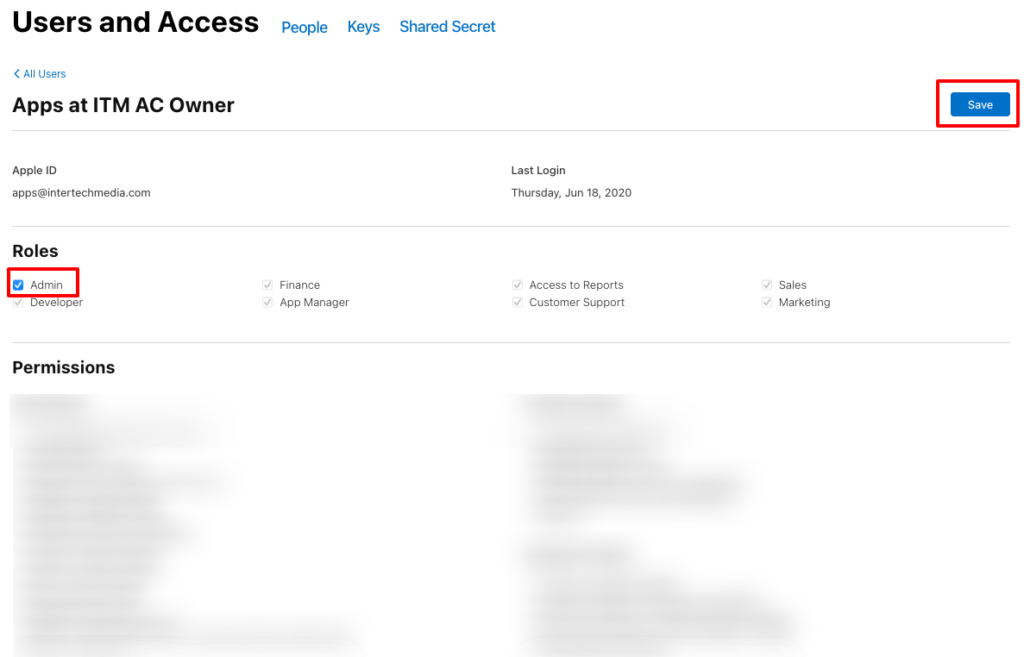
3. Under “Roles”, click on the Admin checkbox and select Save. You’re all done!